I released Kosshi Outliner, an outliner app for Mac and iOS.
Background
I started building an outliner back in 2022, but I got busy with work and distracted by other things, and the project stalled.
Later I got back into outliners and the project came back to life. I was able to focus from there, and eventually shipped it as Kosshi.
What kind of app is it
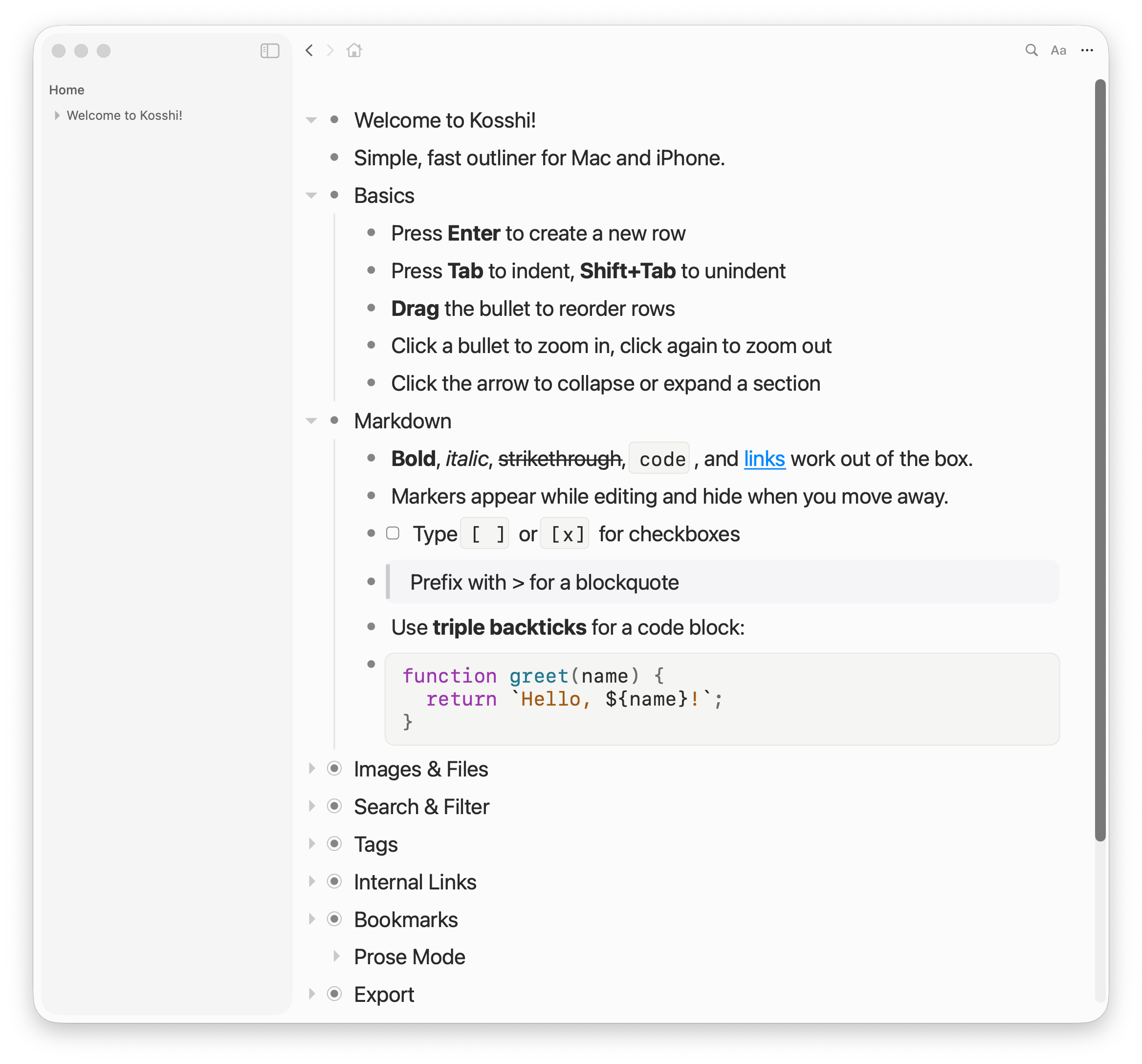
An outliner — you write in hierarchical bullet points. Unlike a regular note app, you don't need to write full sentences. You can restructure things line by line, which makes it easy to just dump your thoughts.
I use outliners for writing articles, but also for organizing tasks and design notes at work. Existing outliners are useful, but none of them fully matched the way I work. So I decided to build my own.
Kosshi is a native app for Mac and iOS. It feels responsive because it's native, and the codebase is shared between platforms so both work the same way.
It also supports Markdown. As a software engineer I mostly write in Markdown, so being able to paste and manage it directly is nice. The UI does assume Markdown though, so it might feel a bit unfamiliar to non-Markdown users.
For syncing, Kosshi uses iCloud (CloudKit). Data lives in the user's own iCloud space, so users don't need to store data on a server run by the app operator (data is stored on Apple's iCloud servers, but the app operator can't access it). Some note apps store data on the operator's server, which can raise privacy and security concerns. E2E encryption would help, but not many services actually do that. Personally, my private notes could cause real trouble if leaked, so I feel safer keeping data off third-party servers.
With CloudKit, there's no sign-up or login. Data syncs via your Apple account, just like Apple Notes.
Technical notes
Tech stack
I started building for Mac/iOS only, then tried going cross-platform with Tauri. After building both to a reasonable degree and comparing them, native felt clearly better, so I went with that.
Outline editor
I built the editor from scratch using CoreText. No UITextView or NSTextView.
Cursor, selection, Markdown rendering, collapsing, drag & drop — I implemented pretty much all of it myself. The editor alone ended up around 25,000 lines. This is the part I'm most particular about.
The core is shared between Mac and iOS, and I built it with performance in mind.
Sync
I use CKSyncEngine to sync between a local SQLite database and CloudKit records.
Early on, sync issues between Mac and iOS were common. My own notes got wiped out several times. Since losing work notes repeatedly was not okay, I added auto-backup. Things are stable now, but sync was probably the hardest part.
Testing
I put a lot of effort into testing. There are four types: unit tests, snapshot tests, performance tests, and E2E tests. About 2,000 test cases total, with unit tests making up around 95%.
Performance tests check that operations on large outlines don't slow down. I set baselines — exceeding them triggers a warning, exceeding further fails the test. There's still room for improvement, so I plan to keep iterating with this test infrastructure.
Closing
Kosshi is on the App Store with a free 1-week trial.
It's $25, one-time purchase. No subscription.