I released Kosshi Outliner, an outliner app for Mac and iOS.

Kosshi Outliner screenshot

Background

I started building an outliner back in 2022, but I got busy with work and distracted by other things, and the project stalled.

Later I got back into outliners and the project came back to life. I was able to focus from there, and eventually shipped it as Kosshi.

What kind of app is it

An outliner — you write in hierarchical bullet points. Unlike a regular note app, you don't need to write full sentences. You can restructure things line by line, which makes it easy to just dump your thoughts.

I use outliners for writing articles, but also for organizing tasks and design notes at work. Existing outliners are useful, but none of them fully matched the way I work. So I decided to build my own.

Kosshi is a native app for Mac and iOS. It feels responsive because it's native, and the codebase is shared between platforms so both work the same way.

It also supports Markdown. As a software engineer I mostly write in Markdown, so being able to paste and manage it directly is nice. The UI does assume Markdown though, so it might feel a bit unfamiliar to non-Markdown users.

For syncing, Kosshi uses iCloud (CloudKit). Data lives in the user's own iCloud space, so users don't need to store data on a server run by the app operator (data is stored on Apple's iCloud servers, but the app operator can't access it). Some note apps store data on the operator's server, which can raise privacy and security concerns. E2E encryption would help, but not many services actually do that. Personally, my private notes could cause real trouble if leaked, so I feel safer keeping data off third-party servers.

With CloudKit, there's no sign-up or login. Data syncs via your Apple account, just like Apple Notes.

Technical notes

Tech stack

I started building for Mac/iOS only, then tried going cross-platform with Tauri. After building both to a reasonable degree and comparing them, native felt clearly better, so I went with that.

Outline editor

I built the editor from scratch using CoreText. No UITextView or NSTextView.

Cursor, selection, Markdown rendering, collapsing, drag & drop — I implemented pretty much all of it myself. The editor alone ended up around 25,000 lines. This is the part I'm most particular about.

The core is shared between Mac and iOS, and I built it with performance in mind.

Sync

I use CKSyncEngine to sync between a local SQLite database and CloudKit records.

Early on, sync issues between Mac and iOS were common. My own notes got wiped out several times. Since losing work notes repeatedly was not okay, I added auto-backup. Things are stable now, but sync was probably the hardest part.

Testing

I put a lot of effort into testing. There are four types: unit tests, snapshot tests, performance tests, and E2E tests. About 2,000 test cases total, with unit tests making up around 95%.

Performance tests check that operations on large outlines don't slow down. I set baselines — exceeding them triggers a warning, exceeding further fails the test. There's still room for improvement, so I plan to keep iterating with this test infrastructure.

Closing

Kosshi is on the App Store with a free 1-week trial.

It's $25, one-time purchase. No subscription. Buy it once, it's yours.

Download on the App Store

I released Mofu Mofu Dice, a dice app for iOS where cute animals roll dice for you.

What kind of app is it

You pick from three animal characters — a black bunny, a black cat, and a poodle — and they roll the dice for you.

Character selection screen

There are two ways to roll:

  • Button tap: Quick and easy, just tap the button.
  • Swipe: Flick the dice yourself for a more hands-on feel.
Swipe to throw the dice

The dice use a physics engine, so they roll and tumble in a realistic way.

Doubles celebration

When you roll doubles or the same number in a row, the animals celebrate with you. It's a small thing, but it's surprisingly nice.

Doubles celebration

History and stats

The app records up to 9,999 rolls and shows the probability distribution as a graph.

Roll history and probability graph

Technical notes

Built with Swift and SwiftUI. The dice physics are powered by SceneKit. The force applied follows your swipe direction, with some randomness mixed in so the result always feels unpredictable and natural.

There's also haptic feedback when the dice hit the surface, which makes it feel like you're actually rolling them.

Use cases

Board games, deciding who goes first, testing your luck — it works for all sorts of things. Could be fun with kids too.

Install

Free on the App Store.

Download on the App Store

Introduction

Programming feels fun again. The reason is Emacs, which I started using last month.

I’ve often tried a new setup, only to return to IntelliJ after a week or two. This time, though, I’ve stuck with Emacs for over a month, and it feels like a surprisingly natural fit.

I’m using Doom Emacs. Right after installation it already feels like a finely crafted environment.

How programming has changed

With advances in AI, programming has been shifting from “writing code” to “giving instructions in natural language”. Because of that, a plain text editor can sometimes feel more compatible than an IDE specialized for one language.

It used to be “programming = searching”: look things up in the browser, write code in the IDE. Editor completion reduced the need to search and was very convenient.

Now AI answers questions and searches for us. I open the browser far less, and my flow is less interrupted. Since CLI‑friendly coding agents became available, a CUI‑centric workflow has become very comfortable. It’s easy to spin up small tools, and even complex commands can be assembled with help from AI.

Seen this way, editors that live in the terminal—Vim and Emacs—actually fit the AI era quite well.

How I use it day to day

Lately I work with Tmux + Emacs. I start a Tmux session per project and run terminal Emacs inside it.

I tried the purist approach of “do everything inside Emacs,” but that was a bit much for me. I use Magit for Git, and for most other tasks I just use regular CLI tools—that balance feels right.

For notes and Org‑mode I use GUI Emacs. In the GUI I can view images and keep notes open in a separate window while coding, which suits organizing and recording.

Why Emacs over Vim

Doom Emacs is built around Evil mode, so it feels almost like Vim. So why not Vim? For me the reason is Org‑mode.

I can keep notes, code, and TODOs all in a single file. It works well as an outliner. After trying countless memo apps and outliners, this was the deciding factor for me.

This post is also written in Org‑mode and published using uniorg.

On top of that, the keybindings and overall feel of Doom are exquisite—I can’t help but feel respect for the effort that went into it.

And Emacs Lisp is fun. In the past, even after reading an intro book I didn’t feel I could use it productively. With AI today, I can customize by writing Emacs Lisp from day one, learning from the AI’s output as study material.

Remembering the joy of programming

I switch between editor and terminal with Tmux while developing. The feel of those operations has a kind of “game‑like” fun.

Thinking back, when I was first absorbed in programming, I used Emacs. Coming back to it after all these years feels like a curious twist of fate.

Modern environments are convenient, but in some ways they can feel constraining. With AI on top, I sometimes wondered, “Where did the programming we loved go?”

Emacs, by contrast, leaves room to customize and tinker—space for creativity. Even as AI keeps taking over tasks, finding the “joy of ingenuity” in Emacs gives me hope.
During development, you may want to run a local server on your Mac and verify behavior from a mobile device.

If you start the server bound to 0.0.0.0, you can reach it from the same LAN using a private IP address (192.168.0.0/16). However, depending on security settings, only localhost may be allowed and private IP access may be blocked.

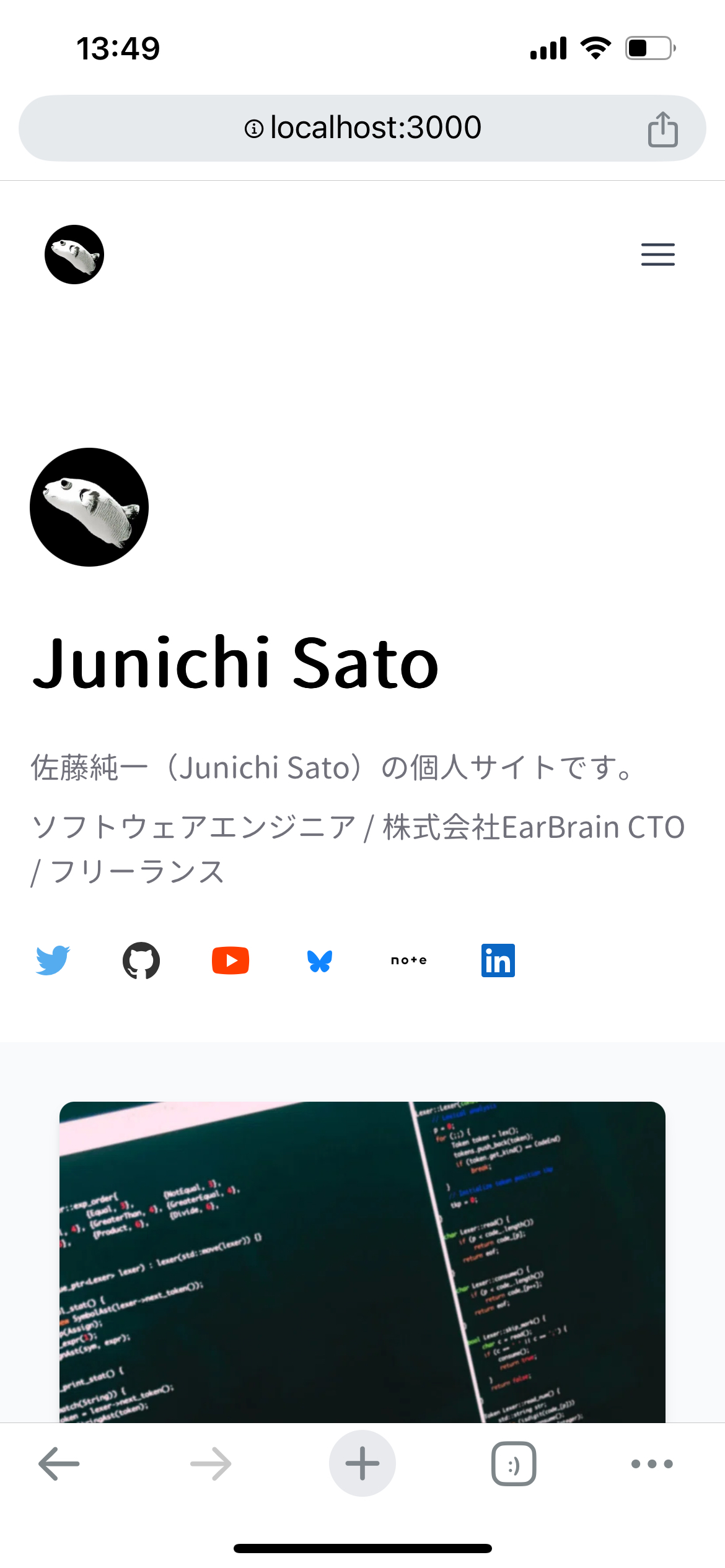
In that case, establish SSH port forwarding between the iOS device and your Mac so that the iOS device can access the Mac’s local environment using the localhost address directly.

Connection steps

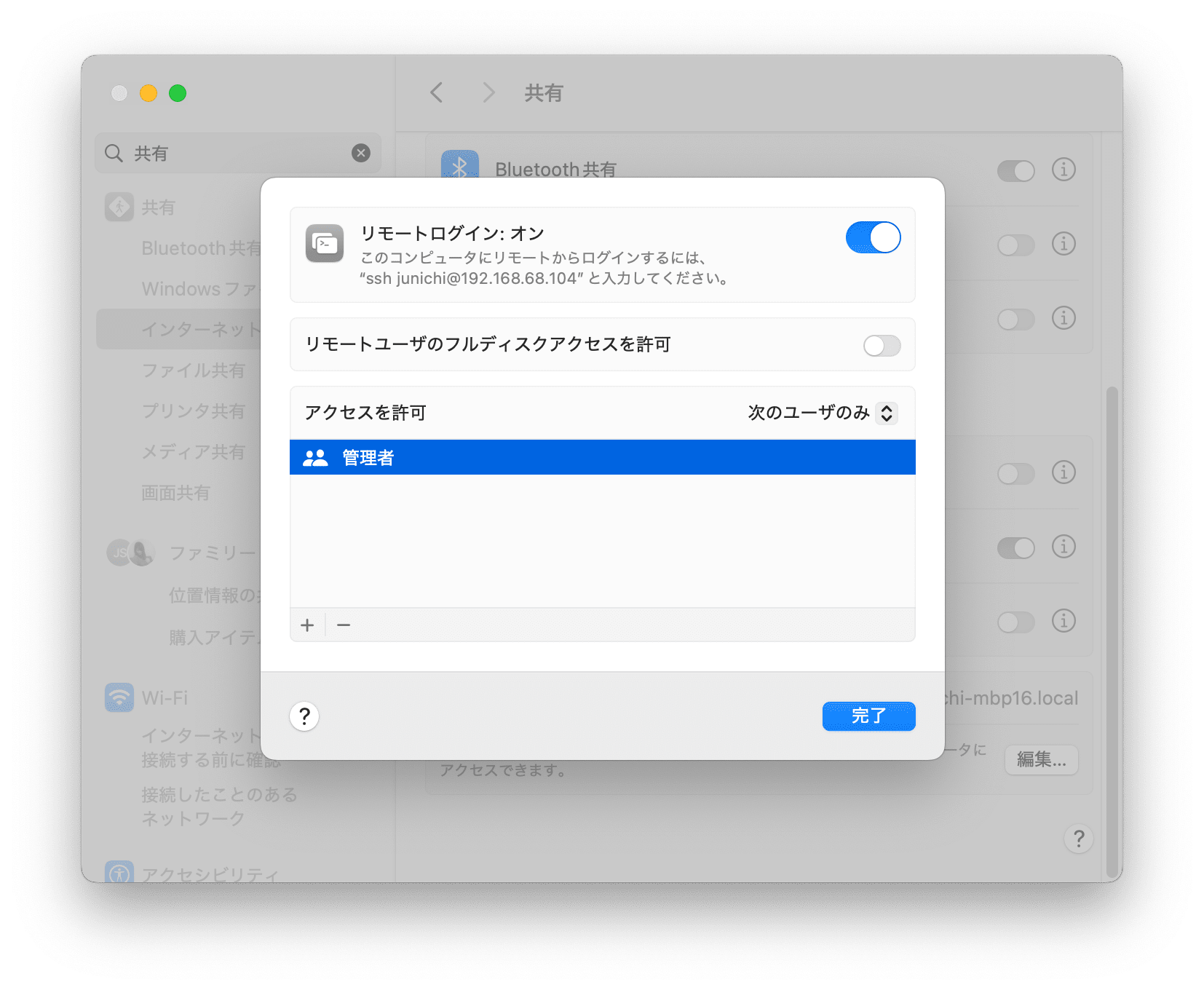
1. Enable “Remote Login” in macOS Sharing

Open System Settings, go to Sharing, and turn on “Remote Login”. This allows connecting to the Mac over SSH.

macOS Sharing settings

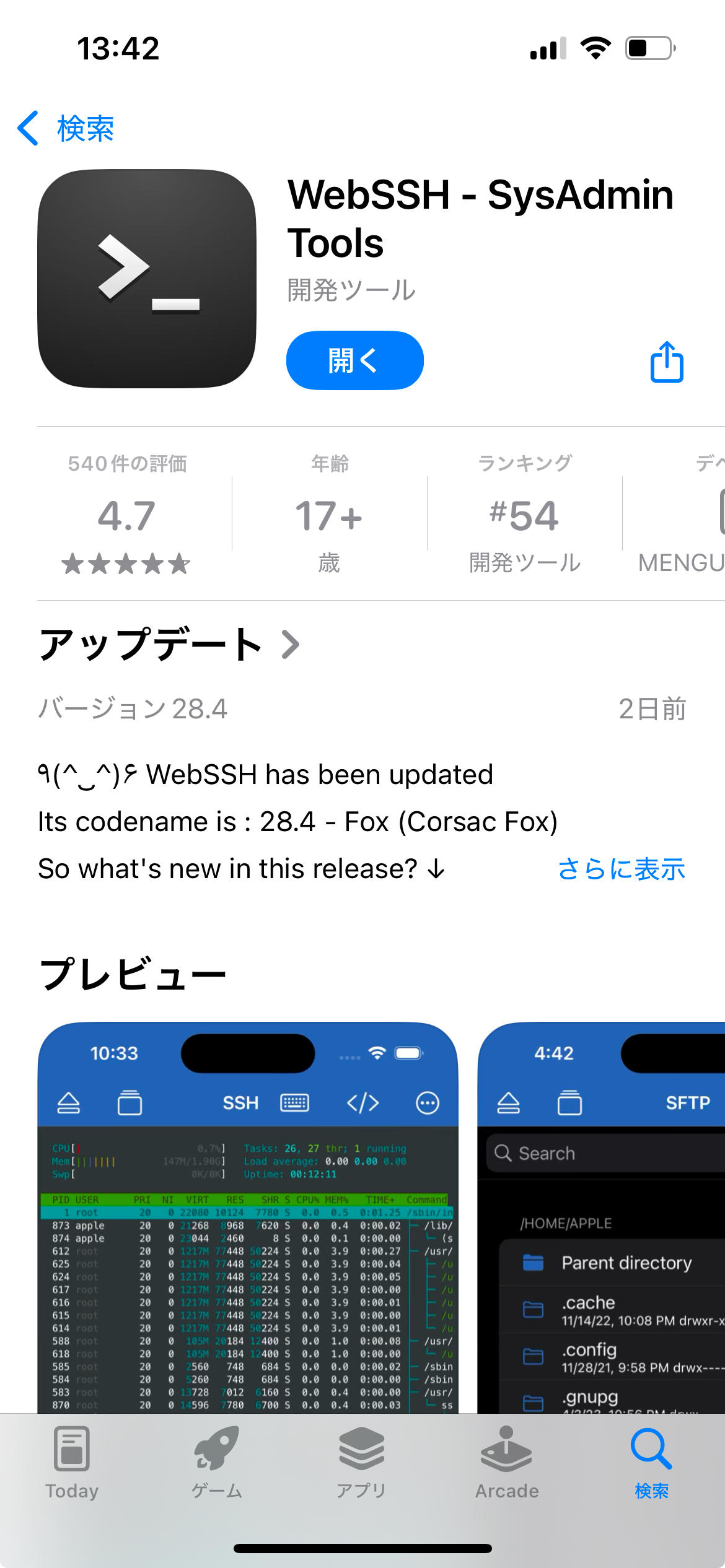
2. Install WebSSH (SSH client) on iOS

Install WebSSH from the App Store. With its VPN-Over-SSH feature, other apps like Chrome and Safari can keep using the port‑forwarding setup.

Install WebSSH

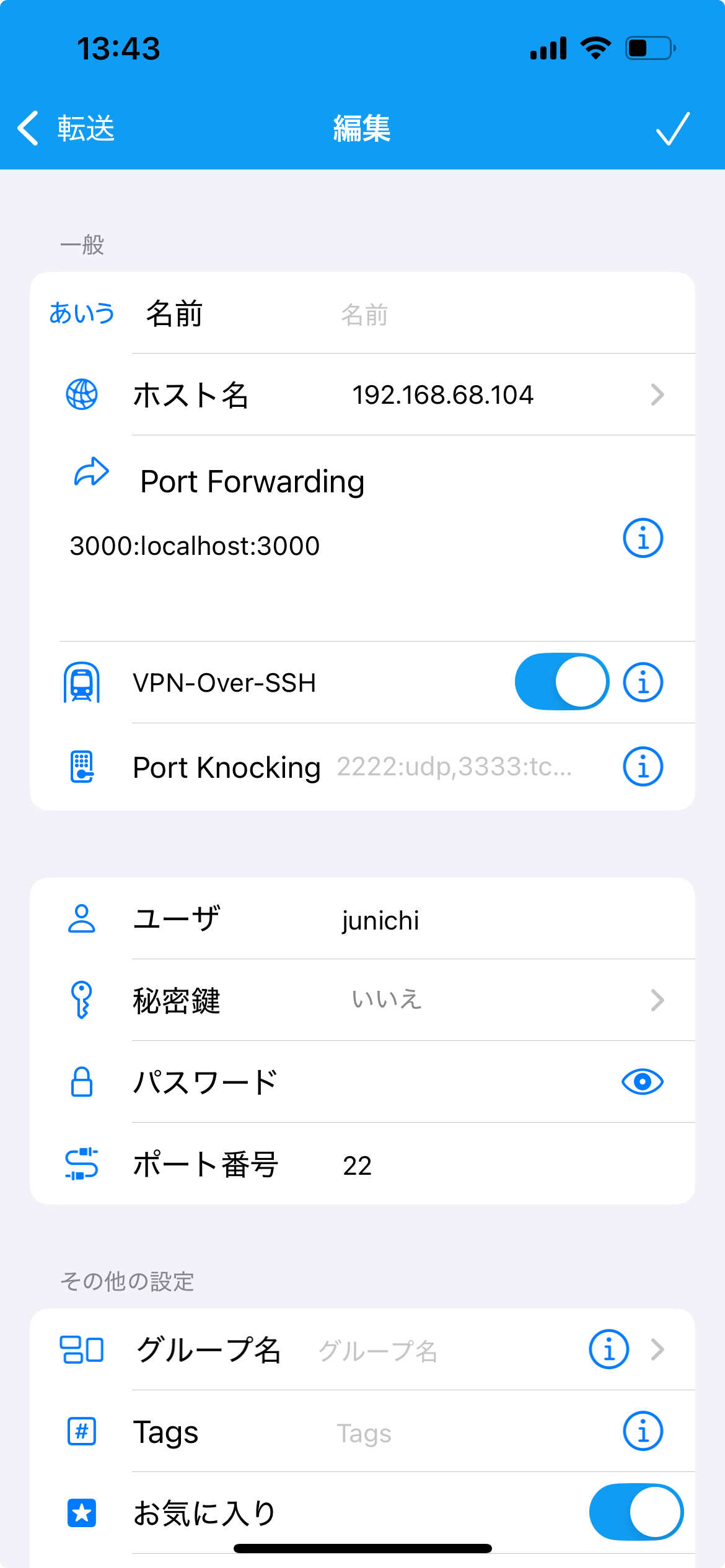
3. Configure port forwarding

Launch WebSSH and configure as follows.

  1. Enter the information confirmed in macOS Sharing:
    • Hostname
    • Username
    • Password
    • Private IP address
  2. Port Forwarding settings
    • Example: if your Mac uses localhost:3000, enter 3000:localhost:3000.
  3. Enable VPN-Over-SSH
    • This keeps the SSH tunnel active while using other apps.
WebSSH port‑forwarding settings

4. Verify port forwarding

Once configured, open WebSSH on the iOS device and check that the port‑forwarding settings are applied.

Verify the configuration

Lately I’ve been improving my personal site a little every day, and it’s getting better. Here are some thoughts on having a personal site.

Why a personal site?

You fully control the content and design.

I also post on note, but the narrow text column makes code hard to read.

For tech posts I could use Qiita or Zenn and probably get more views, but those aren’t great for non‑tech posts.

I want a place that holds both tech and non‑tech posts—a site that conveys who I am. A personal site fits that.

How to build one

There are many options: no‑code tools like WordPress, Wix, and STUDIO are convenient for many people.

But hand‑crafting your site is also a good option. With a static site generator it’s quite simple.

Static site generators

Popular ones include Astro, Hugo, and Jekyll.

This site uses Next.js’s static generation.

Templates can get you a decent design quickly, and if you want to customize, you can change anything at the source level.

Static sites are also cost‑effective. This one is on Cloudflare Pages, and aside from the domain (~1,000 JPY/year), it costs essentially nothing to run.

Of course the barrier to entry is higher, and features you’d get via a WordPress plugin may require custom development.

But if you enjoy the act of building, I highly recommend it.

There’s a saying, “make haste slowly,” favored by Augustus more than 2,000 years ago.

The fact it survived to the present suggests people in any era often fail by rushing.

Japanese proverbs like “haste makes waste” carry a similar message, but “make haste slowly” adds that haste itself is also important—not just going slow. That nuance is why I like it.

In development it may be useful, too. Go too fast or too slow and you fail.

“Slow” in programming might mean:

  • Writing readable code
  • Writing unit tests
  • Refactoring
  • Maintaining documentation
  • Introducing CI/CD

“Haste” might mean:

  • Releasing early
  • Getting user feedback early
  • Implementing only what’s necessary
  • Avoiding unnecessary abstraction

Both code quality and release speed matter—that’s “make haste slowly.”

Without some pressure I tend to lean “slow,” but under time pressure I sometimes go too fast and ignore quality.

When short on time, go “slow.” When time allows, “make haste.” I want to keep this balance in mind.

I’ve long felt that one ingredient for making something good is a mindset that truly accepts the significant time it takes.

Knowledge and skill matter, of course. But whether you genuinely accept the long hours may be a bigger factor than we realize.

Years ago I watched the video below and was shocked: the creator draws mazes for half a year and then burns them at the end. It’s a battle of endurance, and I came to think that such endurance is essential for making things.

In the end, making meaningful things often comes down to patience and stamina.

I decided to go freelance even though I didn’t have concrete projects lined up at resignation time. I wasn’t sure it would work out, but I quit thinking, “It’ll work out somehow.”

After that, people I met at conferences and former colleagues introduced me to projects, and I started freelancing smoothly.

Most of my work has come through acquaintances or people I met through work. To freelance, it seems important to first build relationships by spending time inside a company.

• • •

As a freelancer I took a “I’ll do anything” stance and got to touch many kinds of projects, for example:

  • Mobile app development with React Native
  • Mobile app development with Flutter
  • Rails backend development
  • API development in Python
  • Backend APIs in Go
  • Website development with Next.js
  • AWS infrastructure with Terraform
  • Machine learning / AI features

Early on I also did advisory/assessment work, but I find writing code myself more fun and impactful, so I’ve shifted away from purely advisory roles.

Unlike being an employee, nearly all of my working hours as a freelancer are programming, which suits me well.

• • •

While freelancing has gone better than expected, my original goal—personal projects—has often been pushed aside.

I planned to work three days a week on client work and spend four days on my own development, but I sometimes found myself effectively working seven days a week. That’s my big reflection over the past two years.

First, when schedules get tight, I tend to increase my hours out of a sense of service. Second, personal products may or may not make money, and even if they do, that’s in the future—so paid work naturally takes priority.

• • •

My software side projects often stalled and I lacked strong ideas, so recently I’ve focused more on hardware, aiming to build a mini‑robot.

I’ve also been involved in the MIA project since last year, working on a hardware product there too.

Going forward I plan to work as a software engineer who can also do hardware development.

I used to enjoy programming for its own sake and wasn’t very interested in building actual apps or services. That changed after I joined an internal hackathon.

At Yahoo there was an annual Internal Hack Day—an in‑house hackathon where employees formed teams, built whatever they wanted over two days, and presented. I joined every year until I left. I even joked in team meetings that the most important part of my job at Yahoo was “participating in hackathons.”

For me, programming had been either a solo activity or a large‑team endeavor. Hackathons are different: you form a small team and build your own idea, which was a new kind of fun.

On my third try I had great teammates and we built a similar‑image search service called “I want to go to the Uyuni Salt Flats,” which won a prize. It suggested nearby sightseeing spots that looked like famous overseas locations. The system performed better than expected, and the effort was later featured on Yahoo’s tech blog.

After the hackathon we wanted to keep building together, so we applied to SoftBank Group’s in‑house new‑business program “SoftBank InnoVenture”, were seconded there, and took on a new product challenge.

• • •

At InnoVenture we built an exercise service called “BAKOON!”.

BAKOON!

It was a live‑streaming app for exercising with idols, with motion‑capture for visualizing activity and stamps for communication.

BAKOON! used React Native and Firebase; our technical approach is covered in this book:

Before this I hadn’t built a serious mobile app, nor much web frontend. I learned the basics as I went and somehow shipped.

We discussed product direction including engineering, and also designed the KPIs on the marketing and business side. It wasn’t just programming—I learned to think about the entire product. Marketing and business were more data‑analytical than I expected, and I felt I could leverage my math background.

We operated for about a year after launch and worked hard, but ultimately shut the service down. Still, the 0→1 experience changed what I wanted from programming. Rather than programming itself, I enjoyed deciding on an idea and building it into a product.

That gave me a new goal: build my own products. To secure development time, I decided to go independent as a freelancer.

When I joined Yahoo as a new grad, there was a large data‑science division, so I assumed I’d be assigned there based on my interviews. Instead I landed on the search team for Yahoo Shopping. It wasn’t my first choice, but in hindsight working on a real service was valuable.

My main work was adding features to the search API and operating the search engine. The codebase was large and mature, so I started by reading and understanding it.

Some software‑design ideas I’d read about hadn’t clicked before, but looking at a real, complex system made them concrete.

I was also impressed by the performance of in‑house tech compared to popular OSS. For example, the now‑open‑sourced full‑text engine Vespa and the NoSQL store mdbm were very fast. I’d assumed the most popular OSS was best, but the internal tools were often superior.

Teams owned APIs and subsystems, so feature work required cross‑team coordination. These days I usually work in 2–3 person teams with little coordination overhead, but back then I often visited other teams when launching a new feature or sunsetting an API. That kind of organizational collaboration is an important part of being a professional developer.

• • •

Doing both development and operations was another key experience. If you split them, priorities can get tossed back and forth; owning both helps balance trade‑offs.

One memorable recurring event was preparing for the annual sale day: forecasting traffic, adjusting server counts, and running load tests—things you only do at large scale. I don’t do that much now on smaller services, but I suspect it’ll come in handy again someday.

• • •

After joining the company I switched from Emacs/Vim to IntelliJ IDEA. At work I needed to handle many languages—PHP, Perl, Java, Go, Python—so I preferred an IDE with broad support and minimal setup.

Outside work I was into high‑performance systems, learning C++ and efficient programming. I even wrote toy languages and interpreters on the side, hoping to use C++ in a future project. I didn’t use C++ at work then, but now I’m using it heavily for firmware, and that learning has paid off.

Showing 1 - 10 of 28